Google analytics tag

Horizontal ad 3

Tuesday, 2 April 2019

Neverland map Part 2!

So after taking some time to get the modeling texturing and rendering out here is what I did!


I wanted to go for a toy, cartoony look so I kept the models relatively simple and kept the colors bright and happy. 

The island started off as a Maya model which I later imported into zbrush to give it a more organic look. I was originally planning to use Houdini height field for the map. However I found that because I was going for a cartoon stylized look. I decided to stick with zbrush. 

The colors have also been done in zbrush spot light tool, to get the more textured parts. As for the simpler parts that only have flat color I used Maya colored shaders. 

I had a lot of fun building this little world and would love to improve upon it. Coming from a background as a background painter, I really enjoy creating worlds, makes me feel like a kid playing with Lego all over again!

More of my 3D work can be viewed here

Monday, 25 March 2019

Nerverland map

So for another class assignment I am given the challenge to create a map. I decided to make the Neverland map from Peter Pan. So far I just have the blocky look going. I'm thinking making a transition from both worlds with London to Neverland. I will see if I keep that look or just focus on Neverland.  I created all the element in Maya so far, but I modified the map shape in zbrush. Enjoy!


Tuesday, 12 March 2019

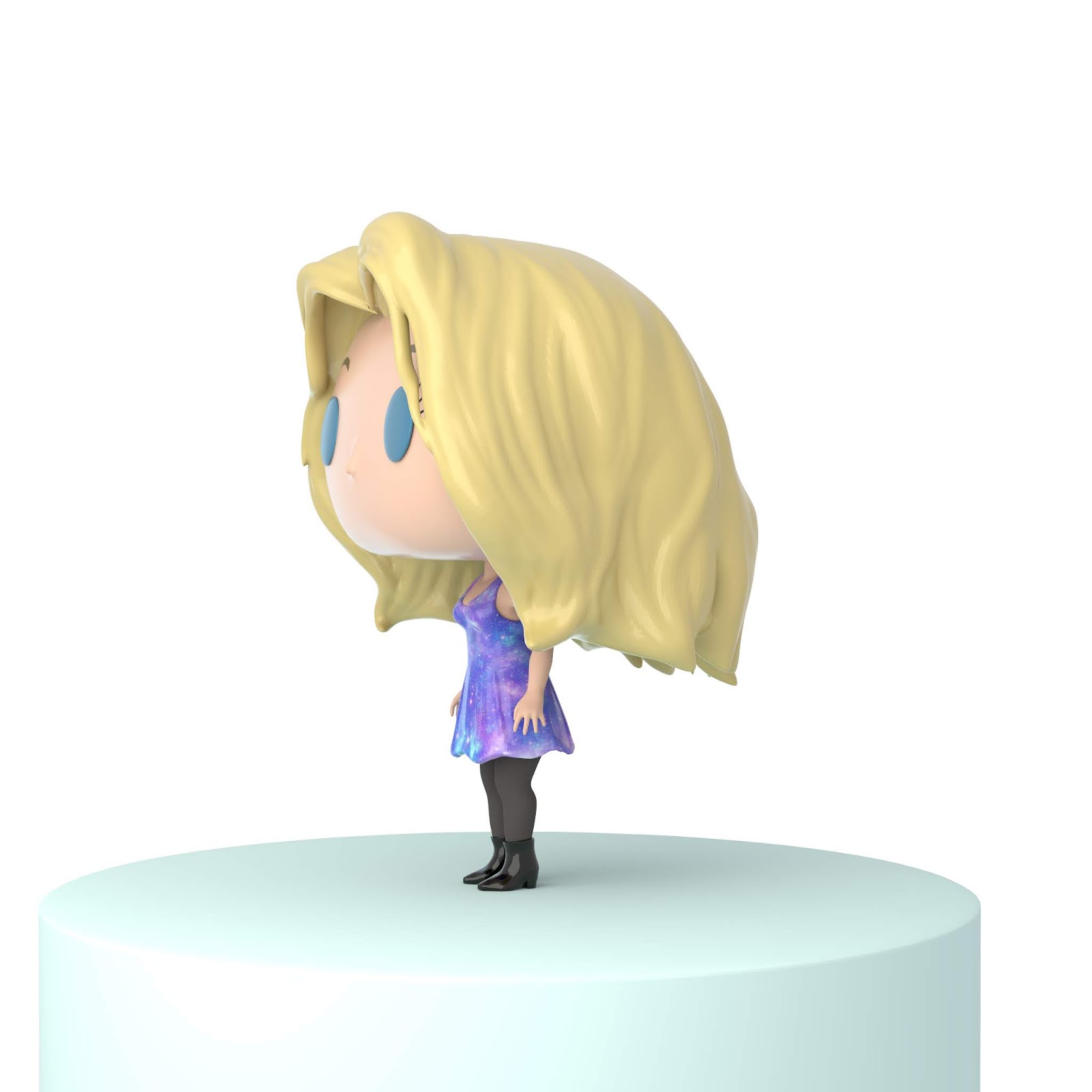
Pop figure of..Me!

So for another class assignment. We were given the challenge of creating a 3d model of myself. It was a fun challenge and I jumped straight into it.

First thing I did was look up some reference of the Funko Pop figures to match the style. Then I jumped into zbrush. This could also be done in maya, but I am more comfortable with modeling organic objects in Zbrush. Also I love Zbrush!

I started off creating 2 separate spheres for the  head and body. Those are on separate sub-tools.


 For the Lims and fingurs. I sinply masked the areas out and pulled them out using the move tool.


I created separate sub tools for the hair, dress and boots. The dress was created with a mask I drew on the body, then I extracted it under sub-tools.

After painting the colors on in substance painter. I assigned the colors into Maya's Arnold render. Then I did a few renders


Here is my finished outcome. I will put the little me model into an environment in the future. But for now here is the completed render. Enjoy :)

Tuesday, 5 March 2019

Matte Painting a Mushroom Alien world!

So for a matte painting assignment. I was assigned to create a world that has a sci-fi feel. I decided I wanted to create an alien mushroom planet. Because This is a matte painting and it requires photo manipulation. So I went to Pexels and textures.com to mostly get the images that I required.

Then I went on to work on some simple thumbnails to work out the composition and some perspective. It doesn't have to be perfect at this point, just get the basic look and feel.


Then after putting together images in photoshop and editing the images to match the color and perspective. It was a lot of push and pull getting the composition and images to look just right. I didn't end up following the compositions I drew up in my thumbnails exactly and that's Ok. Its a process. Here is what I have so far.

This is a photo manipulation matte painting so I do not own the right to the photos

Monday, 25 February 2019

Gummy Bear Renders!

So after lots of trial and error with rendering programs. I decided to import my scene into Maya and render in Arnold. I was finally able to get the gummy texture with no noise with a quick render time. The background and lighting is from a HDRI I found online. I'm planning to still work on some touch ups with the lighting, table and environment but here is what I have!


You can view the whole process on my website here

Tuesday, 19 February 2019

Modelling frog creatue design part 1

For my modelling class, I am working on a creature design. I always wanted to model a frog. Now surprise fort those who know me.it's one of my favorite animals.

I started with collecting lots of reference and I decided I will be basing my design after a green tree frog. I started modeling from a sphere in z brush and just getting the basic pose and shapes.


Part of the project is to create a made up creature. So I took the liberty in adding tails for my frog.


Then I just worked on the hands and feet as well as refining the shapes.


 Working in many views helps in order to get the views or your creature looking the correct. I created subtools for the eyes.

I wanted this creature to be a mix of butterfly and tree frog so I added some wings as well as fins at the ends of the tails.


I added some bumpy texture for the skin to give the creature more realism.


Now to finish my re-topology and I am off to texturing and colors!

You can check out the whole process on my website here

Monday, 18 February 2019

CGI gummy bears part 2

So been working on my gummy bears some more. I saved an animation done in Houdini of the gummy bears falling into a bowl.

I am currently rendering the candy and bowl inside of The Houdini rendered Mantra.


Still a work in progress, I'm playing around with the lighting and shadows. But those gummy bears are looking more edible! :)


You can view the whole process on my website here